
Can Claude Make Anki Cards? A Workflow Guide
Can Claude and ChatGPT make Anki cards? Use prompts for focused output, compare both tools on the same source, and check every answer before importing.
TL;DR
Can Claude and ChatGPT make Anki cards? Use prompts for focused output, compare both tools on the same source, and check every answer before importing.
Table of Contents
Need help turning messy notes into clean flashcards?
MemoForge turns PDFs and public URLs into AI-generated flashcards that you can review before exporting to Anki.
Yes. Claude can make Anki cards, and so can ChatGPT. The difficult part is getting cards that are small enough to remember, accurate enough to trust, and formatted well enough to use.
A language model will happily turn a whole chapter into a pile of polished questions. That does not make the pile useful. Good cards test one idea, use the source material faithfully, and leave you with an answer you can recall without rereading a paragraph.
This guide compares the two tools by workflow rather than by declaring a permanent winner. Interfaces and model versions change. The habits below hold up either way.
What Claude and ChatGPT can do
Both tools can take pasted text and turn it into questions, answers, or cloze deletions. You can ask for definitions, explanations, comparisons, vocabulary, or application questions. You can also ask for a format that is easier to move into Anki, such as tab-separated text or a simple question-and-answer list.
Neither tool knows whether a card is good just because the wording sounds clean. Both can leave out a qualifier, merge several facts into one answer, or invent a detail that was not in your notes. Read the source beside the generated cards before you study them.
The main difference in practice is the workflow you build around the model. Give it a vague request and you will get generic cards. Give it a narrow topic, a card limit, and strict rules, and the output becomes much easier to edit.
Use the same source
Pick one short passage and send the same requirements to whichever tool you choose. Inspect the result before sending it more material.
For a verified anatomy example adapted from NCBI Bookshelf, use this short passage:
The musculocutaneous nerve pierces the coracobrachialis muscle before continuing between the biceps brachii and brachialis. It supplies motor branches to all three muscles. The biceps brachii and brachialis flex the elbow. The nerve continues as the lateral cutaneous nerve of the forearm.
A reasoning-focused card might ask:
Question: What happens after the musculocutaneous nerve pierces the coracobrachialis muscle?
Answer: It continues between the biceps brachii and brachialis.
A fact-focused card might ask:
Question: Which nerve becomes the lateral cutaneous nerve of the forearm?
Answer: The musculocutaneous nerve.
Both cards came from the same source. The first tests a relationship. The second tests a direct fact. Neither style is automatically better. Use the card type that matches what you need to recall.
When you test the models, look for four things:
- Does the answer stay inside the source?
- Does the card test one idea?
- Could you answer it without guessing what the question means?
- Would you want to see it again next week?
A prompt for clean basic cards
Use a small batch first. Ten to twenty cards is enough to expose problems before you spend time cleaning a whole chapter.
Create 15 Anki flashcards from the text below.

Rules:
- Test one fact or relationship per card.
- Use only information stated in the source.
- Keep questions specific and answerable.
- Keep answers under 40 words unless the source requires more context.
- Do not repeat the same fact in different wording.
- Output an `Import rows` section with one card per line: the question, then one literal tab character, then the answer. The notation `QUESTION<TAB>ANSWER` describes this format only; do not import the placeholder words or the angle-bracket notation.
- After the import rows, output a separate `Review notes` section.
- In `Review notes`, list the source phrase for each card as `Card 1: ...`.

Text:
[PASTE ONE SHORT SECTION HERE]
Import only the rows under Import rows. Keep Review notes outside Anki, or map it to a separate notes field if your note type has one. The source phrase is a checking aid, not a substitute for recall.
Before importing, save only the Import rows as a UTF-8 plain-text file. In Anki, choose File → Import, select the file, choose Tab as the field separator, map the first field to Front and the second to Back, and choose the Basic note type. Do not paste the Review notes section into the import file. See Anki's text-file import documentation for the complete import options.
If you want application cards, say what kind of application you mean. For a pharmacology chapter, ask for a clinical scenario and the mechanism that explains the answer. For a language article, ask for an example sentence and a translation. A prompt that names the task produces better material than "make flashcards from this."
A prompt for cloze cards
Cloze deletions work well when the surrounding sentence gives useful context. They work badly when half the sentence disappears or when the hidden word is trivial.
Convert the text below into Anki cloze deletion cards.

Rules:
- Use {{c1::answer}} syntax.
- Use one or two hidden spans per sentence. Use distinct numbers only when you want separate recall cards.
- Hide terms, names, numbers, or short phrases that are worth recalling.
- Keep enough context around each deletion to make the card unambiguous.
- Do not add facts that are not in the source.
- Output an `Import rows` section containing only cloze text.
- After the import rows, output a separate `Review notes` section with a plain-English explanation of why each hidden text matters.

Text:
[PASTE ONE SHORT SECTION HERE]
For example:
The {{c1::musculocutaneous nerve}} pierces the {{c2::coracobrachialis}} muscle.
Anki's Cloze note type treats numbering as card instructions. This creates one card:
The {{c1::musculocutaneous nerve}} pierces the coracobrachialis.
This creates two cards, one for each numbered deletion:
The {{c1::musculocutaneous nerve}} pierces the {{c2::coracobrachialis}} muscle.
Reusing c1 on both phrases hides both phrases on one card. Save only the cloze text from Import rows, choose Anki's Cloze note type, and place the text in its Text field. Check the number of cards before filling a deck with clozes. The Anki manual's adding and editing guide covers the syntax and the required note type.
Review the output before importing it
Read each card with the source open and make four quick decisions.
1. Check the fact
Compare the answer with the original paragraph, textbook, or official reference. Pay special attention to numbers, negations, exceptions, and words such as "usually" or "only." Removing one qualifier can change the meaning of a card.
2. Check the size
If the answer contains a list, a reason, and an exception, split it. A card that asks for five unrelated items may look efficient in the editor and feel awful during review.
Bad:
What are the branches, functions, locations, and clinical findings of the nerve?
Better, as two complete cards:
Question: Which muscle does the musculocutaneous nerve pierce?
Answer: The coracobrachialis muscle.

Question: Which muscles receive motor branches from the musculocutaneous nerve?
Answer: The coracobrachialis, biceps brachii, and brachialis muscles.
3. Check the question
A good question has one obvious interpretation. Replace "What is important about this?" with the exact fact or relationship you need. Remove questions that depend on remembering the wording of the source instead of the idea itself.
4. Check the future review
Ask whether the card will still make sense after you have forgotten the surrounding paragraph. Add a little context when needed. Delete cards that are obvious, redundant, or too narrow to matter.
Do not import a large batch just because the model finished it. Import ten cards, review them once, and fix the prompt before generating the next batch.
A simple test for either tool
Use the tool that gives you a first draft you can correct quickly. That is a more useful test than a general claim about which model writes better cards.
If you need detailed explanations, ask either tool for a short explanation in the answer and then trim it. If you need vocabulary or definitions, ask either tool for short answers and example sentences. If you are studying for an exam, tell the model what the exam asks you to do, not just the name of the subject.
Before generating a full chapter, run this five-step check:
- Give the tool a 500-word source.
- Ask for 15 cards in a fixed format.
- Check ten cards against the source.
- Fix the prompt where the output goes wrong.
- Repeat with the next section only when the batch is usable.
A faster route from source to deck
Copying text between a document, a model, and Anki adds friction. MemoForge can generate flashcards from PDFs and public URLs. You still need to review the generated cards, especially for technical subjects and language examples.
After that review, you can study the cards in MemoForge Learning Mode with an FSRS-based spaced-repetition schedule, or export an Anki-ready deck. For language learning, keep the cards tied to real sentences and useful phrases rather than isolated word lists. The AI flashcards guide covers the source-to-deck workflow, and the webpage flashcards guide shows how to work from an article.
FAQ
Can Claude export directly to Anki?
Claude can generate text in a format you request, but you should not assume that the result is a ready-to-import Anki package. Ask for a consistent format, inspect the output, and use Anki's import tools or a flashcard app to finish the process.
Can ChatGPT make better Anki cards than Claude?
There is no permanent answer. Compare both tools on the same source with the same prompt. Keep the one that produces accurate, focused cards with less editing.
How many cards should I generate at once?
Start with ten to twenty cards from one short section. If the cards are accurate and easy to review, increase the batch size. A smaller deck with cards you will actually study is better than a complete chapter you avoid.
Should I trust AI-generated cards?
Use them as drafts. Check every answer against the source before you put it into a spaced-repetition queue. This matters most for medicine, law, science, and language examples where a small error can teach the wrong thing.
Related Articles
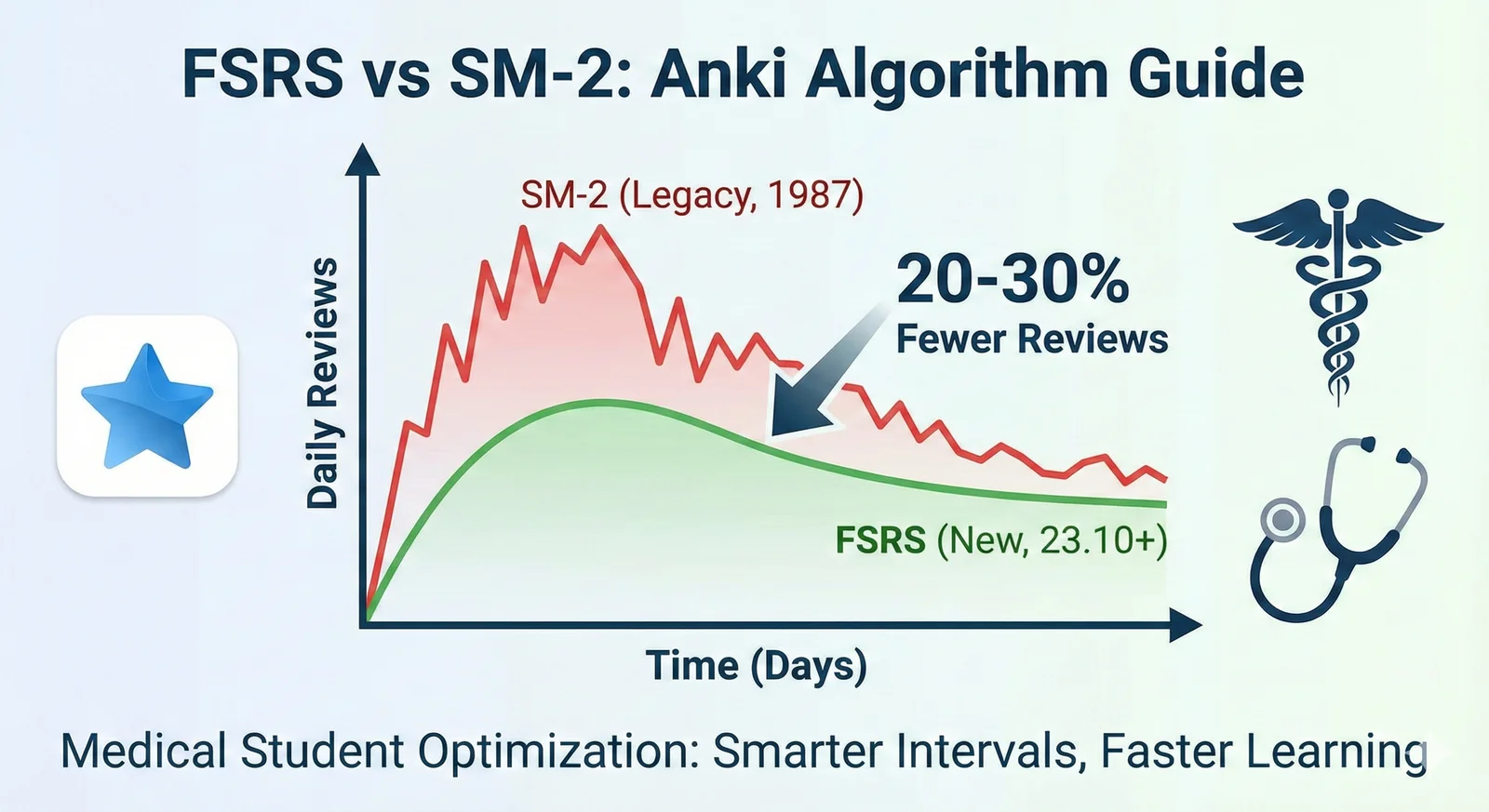
FSRS vs SM-2 in Anki: Settings, Workload, and Migration
Learn what FSRS is in Anki, compare it with SM-2, and switch schedulers without a sudden review backlog.

How to Clear an Anki Backlog Without Burning Out
A step-by-step plan to shrink an Anki backlog: pause new cards, set a daily time cap, build a rescue filtered deck, and fix the cards that keep failing. Practical, non-judgmental, and grounded in how Anki actually works.
How to Use Anki: A Step-by-Step Guide for Beginners
Install Anki, build your first deck, learn the settings that actually matter, sync across devices, and start a review habit you can keep — grounded in the official Anki documentation.