
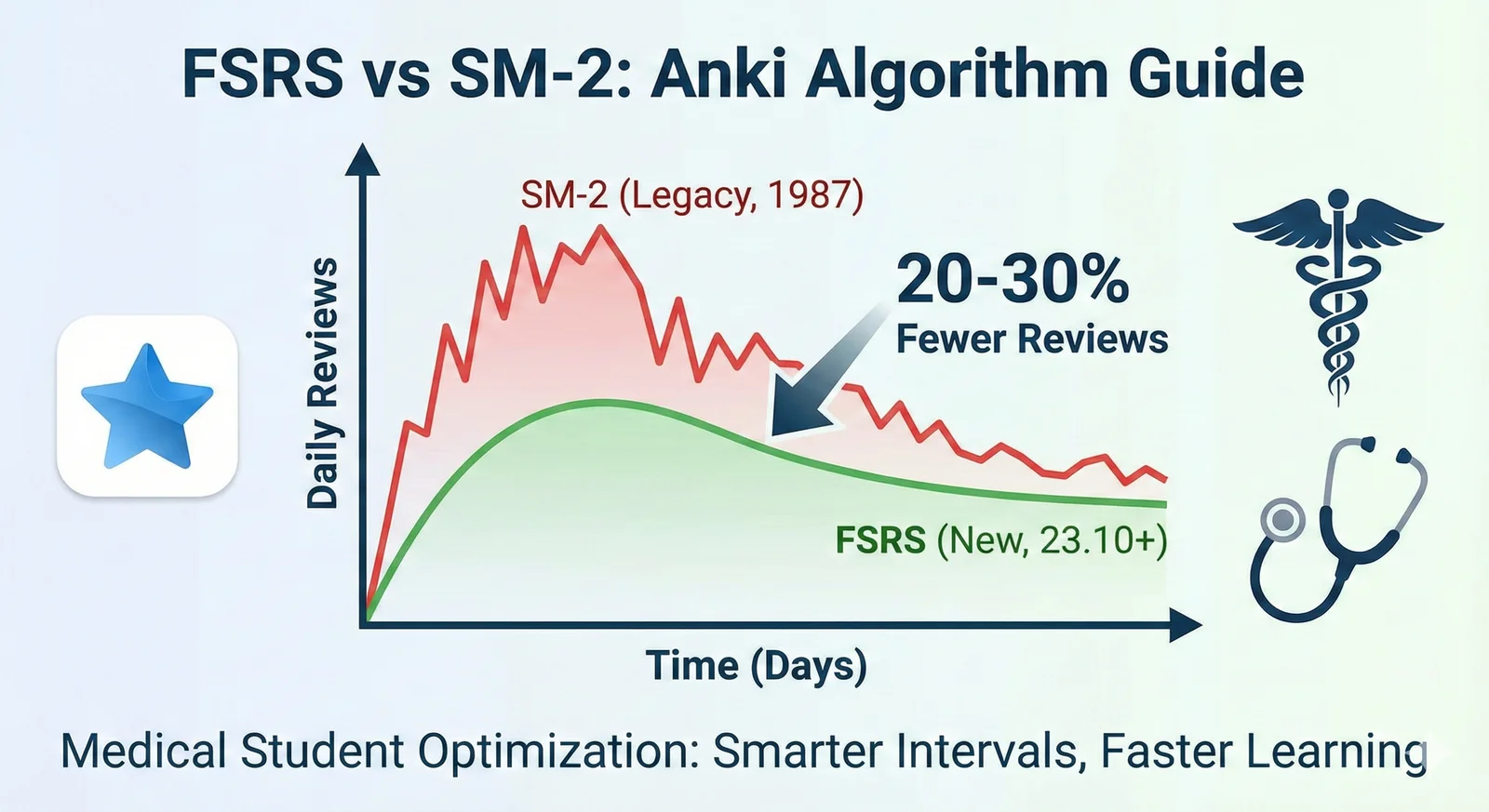
FSRS vs SM-2 in Anki: Settings, Workload, and Migration
Learn what FSRS is in Anki, compare it with SM-2, and switch schedulers without a sudden review backlog.
TL;DR
Learn what FSRS is in Anki, compare it with SM-2, and switch schedulers without a sudden review backlog.
Table of Contents
Need help turning messy notes into clean flashcards?
MemoForge turns PDFs and public URLs into AI-generated flashcards that you can review before exporting to Anki.
Anki ships with two scheduling algorithms: the legacy SM-2 and the Free Spaced Repetition Scheduler (FSRS). FSRS is built into recent Anki releases, but the setting names can make the switch feel harder than it is. This guide explains the difference, how desired retention changes workload, when optimization is worth doing, what happens after a lapse, and a cautious migration path.
The official Anki documentation covers the details; the sections below focus on what the switch means for daily reviews.
On a supported client, I would start with FSRS. Keep SM-2 only when an older client or a deliberate legacy workflow makes compatibility more important.
What is FSRS, and how is it different from SM-2?
SM-2 is the legacy scheduler Anki used for years. It adjusts each card's ease factor from your ratings and uses that value in fixed interval formulas. The system works, but it does not model stability, difficulty, and retrievability as explicitly as FSRS does.
FSRS is a newer algorithm that Anki offers as a built-in alternative. Instead of a single ease factor, it tracks each card with a small memory model: stability (how long the memory lasts), difficulty (how hard this card is for you), and retrievability (how likely you are to recall it right now). Rather than relying on fixed formulas alone, FSRS uses parameters that can be optimized against your own review history, so the schedule can adapt to how you actually forget.
The Anki manual says FSRS can help you remember more material in the same amount of time by estimating when you are likely to forget each card. The Anki docs on FSRS cover the full technical picture.
Start with desired retention, because it sets the workload.
Desired retention: The setting that controls your workload
Desired retention is the proportion of cards you want to recall successfully when they come due. The Anki manual calls it the most important setting in FSRS. It works as a target: at 90%, cards are scheduled so you have roughly a 90% chance of remembering them when they appear for review.
The default is 90%, which the manual describes as a good balance of retention and workload. The tradeoff is not linear: above 90%, the workload increases very quickly, and above 97% it can become overwhelming. Lower values mean fewer reviews per day and more forgetting; higher values mean more reviews and better recall. The manual recommends keeping desired retention below 97%, and most users should stay at or near 90%.
FSRS does not automatically cut your review count. Your workload is largely determined by the desired retention you choose. If you want fewer reviews, you lower the target and accept more forgetting. If you want to remember more, you raise it and study more. That tradeoff exists in any FSRS implementation, but the exact behavior varies with the app, version, and settings.
When does optimizing FSRS parameters help?
FSRS works out of the box with its default parameters. Optimizing them is optional and personalizes the schedule to your memory. The manual is explicit about when it makes sense:
- Optimize only after your learning and relearning steps can be completed on the same day. Same-day steps such as 10m or 30m are good; 23h is not recommended, even though it is under a day, because you will not finish the step on the day you first saw the card.
- The optimizer needs review history. It uses machine learning on your past reviews, and the manual's health check flags low review counts (under a few hundred) as a common reason FSRS may not perform well. If you have been using Anki for only a few weeks, optimization may not help yet.
- Do not copy parameters from other people or edit them manually. Optimized parameters are personal to your memory and your decks. Run the Optimize button once you have enough history; repeating it about once a month is sufficient.
One habit quietly breaks FSRS: pressing Hard when you actually forgot the answer. The algorithm treats Hard as a successful recall, so the next interval can be too long. In Anki, Hard means the answer was correct but doubtful or slow to recall; Good means it was correct but took some mental effort. Press Again when you forget. The Anki answer-button guide spells out the distinction.
What happens when you forget a card?
In SM-2, forgetting a graduated card drops its ease factor, and the card can get stuck with short intervals for a long time. Anki users call this ease hell: fail a card a few times and it keeps coming back too often, which leads to more failures. The Anki manual notes that longer learning steps were popular partly to compensate for this, and that FSRS does not suffer from the problem.
When you forget a review card, Anki normally sends it into relearning when relearning steps are configured. With configured learning steps, new and learning cards follow those steps instead.
The current Anki manual describes empty (re)learning steps as an experimental feature in the latest Anki version, allowing FSRS to control short-term scheduling. For a predictable migration across clients, keep configured same-day steps instead of relying on that experimental behavior. On clients without it, a blank relearning field skips relearning and gives a lapsed card a new interval, one day by default. Check the manual for your version before changing this setting.
With configured steps, the card repeats on those short intervals, and the scheduler updates its memory model: stability drops, difficulty rises, and the card is rescheduled with a shorter interval. Successful reviews push the model back: stability recovers and the interval grows again. A lapse changes the schedule; it does not permanently downgrade the card.
MemoForge uses the same general FSRS concepts. Learning Mode uses FSRS for scheduling. When you press Again on a review card there, it returns on the configured relearning step, 10 minutes by default, and its schedule is recalculated from the new state. MemoForge may also show that card again later in the same study session; that display behavior is separate from its persisted due time.
A safe migration path from SM-2 to FSRS
If you are switching an existing collection, use this order:
- Check your clients and add-ons. FSRS is supported by Anki 23.10+, AnkiMobile 23.10+, AnkiWeb, and AnkiDroid 2.17+. Make sure every device you sync with supports it before enabling, or scheduling may not work correctly. Clear any old custom scheduling code and disable add-ons that modify intervals or scheduling before you switch.
- Back up your collection. Export a collection package (
.colpkg) with scheduling information, or copy your Anki profile folder. See Anki's export and backup guide for the export options. Keep the backup until you are sure the switch feels right. - Fix your learning steps first. In deck options, make learning and relearning steps same-day (10m or 30m are fine). If you plan to optimize later, set these first so new review history reflects the setup you plan to keep.
- Enable FSRS in deck options. Open deck options, go to the FSRS section at the bottom, and turn it on. FSRS is enabled globally; you cannot enable it for some presets and not others. Desired retention and other FSRS parameters are set per preset, while newer Anki versions can override desired retention per deck. Check each preset and any deck-level override used by your decks.
- Set desired retention. Start at the default 90% for each relevant preset. Adjust it later only if you understand the workload tradeoff.
- Optimize once you have history. Click Optimize under FSRS parameters. If it reports that the parameters are already optimal, that is fine. Re-optimize about once a month.
- Leave rescheduling off. The default is to not reschedule existing cards, and the manual explicitly recommends against enabling rescheduling when first switching from SM-2, because it can suddenly make a large number of cards due. Future reviews will use FSRS scheduling anyway.
FSRS in MemoForge
MemoForge's Learning Mode uses FSRS scheduling by default. Its defaults are a desired retention of 90%, learning steps of 1 and 10 minutes, and a relearning step of 10 minutes. You can adjust desired retention and the step settings to match how you study.
There is no parameter optimization step to run: MemoForge schedules with the FSRS algorithm and your settings, and its four buttons map to Again, Hard, Good, and Easy FSRS ratings. MemoForge's public Learning Mode FAQ describes Hard as remembered but effortful and Good as a correct response with normal effort; the review buttons themselves currently show labels without that explanatory text. That wording differs from Anki's answer-button definitions, so do not treat the two apps as having identical rating instructions. Use the guidance shown by the app you are studying in. If you already use FSRS in Anki, the core concepts carry over, but implementations, versions, and settings still differ.
Choose based on your workload
FSRS and SM-2 both schedule reviews, but they use different assumptions. SM-2 applies fixed formulas with each card's ease factor; FSRS models each card and can be tuned to your memory. Desired retention controls the tradeoff between review workload and recall. Optimize parameters only once you have enough review history and same-day learning steps, back up before switching, and skip rescheduling on your first switch.
Rate honestly and keep cards simple. FSRS can only learn from ratings that reflect what happened during recall.
If your main problem is review volume, read our guide to Anki daily load settings. For the rest of the setup, use the Anki beginner guide.
Related Articles

Can Claude Make Anki Cards? A Workflow Guide
Can Claude and ChatGPT make Anki cards? Use prompts for focused output, compare both tools on the same source, and check every answer before importing.

How to Clear an Anki Backlog Without Burning Out
A step-by-step plan to shrink an Anki backlog: pause new cards, set a daily time cap, build a rescue filtered deck, and fix the cards that keep failing. Practical, non-judgmental, and grounded in how Anki actually works.

Interleaved vs. Blocked Practice: Which Should You Use?
Interleaved vs. blocked practice explained: learn what each method trains, when to use it, what classroom math studies found, and how to build a mixed-practice session.