

How to Clear an Anki Backlog Without Burning Out
A step-by-step plan to shrink an Anki backlog: pause new cards, set a daily time cap, build a rescue filtered deck, and fix the cards that keep failing. Practical, non-judgmental, and grounded in how Anki actually works.
TL;DR
A step-by-step plan to shrink an Anki backlog: pause new cards, set a daily time cap, build a rescue filtered deck, and fix the cards that keep failing. Practical, non-judgmental, and grounded in how Anki actually works.
Table of Contents
Need help turning messy notes into clean flashcards?
MemoForge turns PDFs and public URLs into AI-generated flashcards that you can review before exporting to Anki.
How to Clear an Anki Backlog Without Burning Out
You open Anki and the number hits first: 347 reviews due. Your shoulders tense, and the easiest move looks like closing the app until tomorrow. That feeling is the backlog talking, not a judgment on you.
Backlogs are a math problem with a habit problem attached. The fix is boring on purpose: stop adding new cards, cap your daily time, and chip away with a small predictable batch. This guide walks through that sequence with the actual Anki settings involved.
Why Backlogs Happen
Three causes cover most cases:
- New cards outpace your schedule. Every new card you learn comes back for review again and again. Anki's own documentation uses the rule of thumb that consistently learning 20 new cards a day tends to produce roughly 200 reviews a day once the deck matures. Start at 50 new a day and the queue compounds quickly.
- Missed days stack. Reviews don't expire. A week off turns into a wall of overdue cards.
- Weak cards. A card that tests three ideas at once fails repeatedly, and each failure costs you a review slot.
None of these are permanent. They're all adjustable.
Step 1: Stop the Leak
The single most effective move is to set New cards/day to 0 in deck options. It feels drastic, but it's temporary, and it's exactly what Anki's documentation recommends when you have a backlog: stop introducing new cards until you catch up.
On desktop: click the gear icon on the deck, open the preset, and set New cards/day to 0. Keep it there until the overdue count is under control, then raise it back to a level your schedule can carry.
Step 2: Cap Your Time, Not Your Guilt
Pick a daily budget you can actually finish on a busy day, then set Maximum reviews/day to match:
- 20–30 minutes: light, sustainable
- 45–60 minutes: steady
- 90 minutes: short sprints during crunch, not a permanent setting
Use a timer. When it rings, stop, even if cards remain. Consistency beats heroics — a capped session you repeat daily clears far more than one marathon you quit.
Step 3: Build a Rescue Filtered Deck
Anki's filtered decks let you pull a controlled batch instead of staring at the full pile. To catch your oldest overdue cards:
- Click Tools → Create Filtered Deck (or Deck → Filtered deck on some versions).
- Search:
is:due prop:due<=-7 - Set the limit to 50 cards.
- Set Reschedule to No.
That search means "due today or earlier, overdue by at least a week." With rescheduling off, the cards go back where they were after the session, so you're not reorganizing your schedule — just working the pile.
If you'd rather not touch searches, a plain limit also works: pull 50–75 due cards a day and clear them. The number shrinking is what makes it feel manageable.
As a rough rule of thumb (not a promise): at 50 cards a day, a 500-card backlog takes about ten sessions; at 75, about a week. Plan for a couple of weeks of steady clearing, not a weekend sprint.
Step 4: Fix the Cards That Fight Back
Some cards just refuse to stick. Instead of hammering them, make a quick call:
- Rewrite now if you fail a card twice in one session. Ambiguity is usually the problem.
- Split it. One fact per card.
- Add a hook. A tiny cue or story helps more than you'd think.
- Suspend for now. Low-yield facts can wait.
Example makeover:
Original: "What are the causes, symptoms, and treatments of diabetes?" Better: three cards — one for causes, one for the symptom cluster, one for first-line treatment.
Right-Size by Time, Not Hope
Your daily minutes dictate how many new cards the deck can carry. Starting points (adjust to your reading speed and subject):
20-minute sessions (light)
- New cards/day: 5–8
- Reviews/day cap: ~100
40-minute sessions (solid)
- New cards/day: 12–15
- Reviews/day cap: ~180
60-minute sessions (intensive)
- New cards/day: 20–25
- Reviews/day cap: ~250
These are starting points, not laws. Dense material (pharmacology, for example) usually needs fewer new cards than vocabulary. If a week feels spicy, pause new cards again. Nothing breaks.
How Deck Limits Work with Subdecks
If your decks are nested, the limits behave a specific way: when you study the parent deck, the parent's New cards/day and Maximum reviews/day cap the total shown, while each subdeck's own limits cap how many cards can be pulled from that subdeck. There's also a Limits start from top option that makes a parent's limits apply even when you select a subdeck directly.
Practical takeaway: set your total daily target on the deck you actually open, and use subdeck limits if one subject keeps crowding out the others. You're steering one system instead of micromanaging four.
Sorting for a Big Pile
If you're working through a large backlog and want the most-likely-forgotten cards first, check the deck's Review sort order. Anki recommends Relative overdueness when you have a large backlog under the legacy scheduler; with FSRS enabled, that option is replaced by Ascending retrievability, which does the same job using each card's probability of recall. Either way, you deal with the cards closest to being lost first.
Weekly Maintenance: Ten Minutes on Sunday
Open your stats, skim, adjust one thing:
- Are you finishing inside your time budget?
- Is the new-card count creeping back up?
- Which cards got tagged as leeches this week?
- Is retention sitting in a healthy range — roughly 85–90% is a common target, and 90% is Anki's default desired retention under FSRS?
One tweak, not five. Clean decks beat clever settings you never revisit.
Ease Hell Is Real, But Avoidable
Smash "Hard" too often and a card's ease drops, intervals shrink, and the card comes back sooner — which tempts you to hit Hard again. That loop is what people call ease hell.
The fixes:
- Be sparing with "Hard" on new cards. If a card feels off, rewrite it.
- Keep learning steps short and same-day (Anki's defaults, 1m 10m, work fine).
- If you find a cluster of very low-ease cards, fix the wording first. Resetting ease is a last resort, not a weekly hobby.
If you use FSRS, there's a related trap: pressing Hard when you actually forgot the answer. FSRS treats Hard as a successful recall, so a forgotten card gets an unreasonably long interval. Press Again when you forget — our FSRS vs SM-2 guide covers this in detail.
Two Common Scenarios
Post-vacation pile (200+ overdue)
- Pause new cards.
- Pull 30–50 overdue cards a day into a filtered deck.
- Expect a couple of weeks of steady clearing — normal, not failure.
- Don't sprint. Trust the rhythm.
Exam sprint with a messy deck
- Keep only high-yield material active; suspend the rest.
- Split or suspend time-sink cards.
- After the exam, restore calmer settings and unsuspend deliberately.
FAQ
How long will it take to clear my backlog?
As a rough rule of thumb, budget one steady session a day and expect the pile to shrink at whatever pace you set — a 500-card backlog clears in roughly one to two weeks at the paces above. The stress drops faster than the number does, because the pile starts shrinking visibly within a few days.
Should I delete difficult cards?
Only truly low-value content. Otherwise suspend, fix, or split — it's easier to bring a card back than to reconstruct it later.
One long session or two short ones?
For catch-up, one focused block keeps momentum. For maintenance, two short blocks often feel easier.
What if I keep falling behind?
Your new-card intake is higher than your time budget supports. Cut it by 25–50% for a week and reassess. Card quality matters too — splitting helps more than you expect.
The Roadmap
Pause new cards. Cap your time. Clear a small, predictable batch. Fix the few cards that fight back. Then build a weekly habit that keeps you honest. The weight slides off faster than it looks, and none of it requires willpower — just settings and a rhythm you can repeat.
If the backlog keeps coming from long PDFs and lecture notes, consider letting a tool draft atomic cards for you, then polish the wording and keep only what earns its spot. That's the balance: a bit of help, plus your judgment.
Related Articles

Can Claude Make Anki Cards? A Workflow Guide
Can Claude and ChatGPT make Anki cards? Use prompts for focused output, compare both tools on the same source, and check every answer before importing.
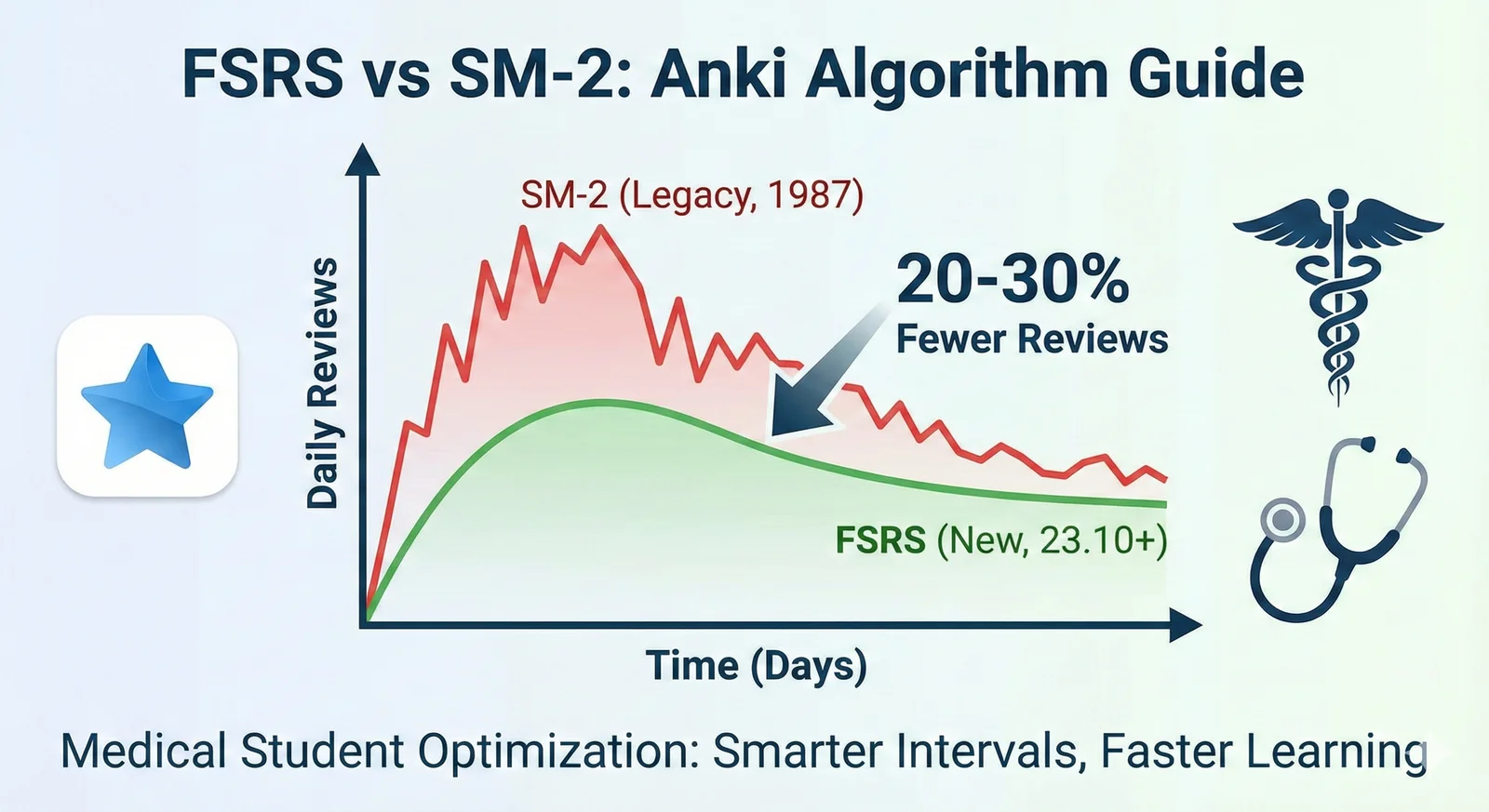
FSRS vs SM-2 in Anki: Settings, Workload, and Migration
Learn what FSRS is in Anki, compare it with SM-2, and switch schedulers without a sudden review backlog.

Anki Daily Load: How to Set New Card Limits, Reviews, and Leech Settings
Right-size your Anki daily review load: time-based presets for new cards and review caps, what to do about ease hell under SM-2 and FSRS, and how to set leech thresholds. Based on current Anki documentation.